2. 使用 GDAL 读取 Geotif
普通的 tif 图像并不带有地理信息,而 geotif 的文件编码了一些投影坐标的信息,可以被 Arcgis 等软件按位置加载。
2.1. GDAL 的安装
最简单的方式是:
conda install gdal
它会将 gdal 和 osgeo 正确安装,每种操作系统都很好用。千万不要用
pip install 和 binary 的包,会出各种错误。
2.2. 读取Geotif
从 inria 数据集中选取了美国 austin 的一幅影像:
In [1]:
img_path = 'GeotifGDAL_images/austin1.tif'
In [2]:
%matplotlib inline
from skimage.io import imshow,imread

img_tif = imread(img_path)
imshow(img_tif)
Out[2]:
<matplotlib.image.AxesImage at 0x1c1d546da0>
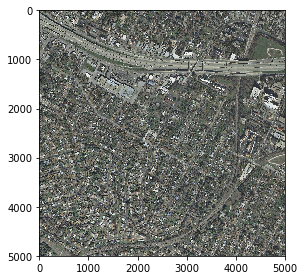
如果是 以 Geotif 的形式读取进来,是这样:
In [3]:
import gdal
from osgeo import osr

img = gdal.Open(img_path)
图像的尺寸为:
In [4]:
img_height = img.RasterYSize #行数
img_width = img.RasterXSize #列数
img_height,img_width
Out[4]:
(5000, 5000)
影像的六个坐标转换参数为:
In [5]:
img_geo_transform = img.GetGeoTransform()
img_geo_transform
Out[5]:
(616500.0, 0.29999999999997673, 0.0, 3345000.0, 0.0, -0.30000000000009314)
其中的img_geo_transform[0]、img_geo_transform[3]为图像的左上角投影坐标:
In [6]:
img_geo_transform[0],img_geo_transform[3]
Out[6]:
(616500.0, 3345000.0)
有了原始的坐标系和起始坐标,可以把图像左上角的像素点转化为经纬度地理坐标。 WGS-84坐标的 EPSG 编号为4326,可以定义转换的函数:
In [7]:
def get_top_left_corner_latlng(dataset):
    """
    Given a GDAL dataset, computes lat/lng of its top left corner.
    """

    wgs84_spatial_reference = osr.SpatialReference()
    wgs84_spatial_reference.ImportFromEPSG(4326)

    dataset_spatial_reference = osr.SpatialReference()
    dataset_spatial_reference.ImportFromWkt(dataset.GetProjection())

    source_reference = dataset_spatial_reference
    target_reference = wgs84_spatial_reference

    dataset_to_wgs84 = osr.CoordinateTransformation(source_reference,
                                                    target_reference)


    geo_transform = dataset.GetGeoTransform()

    x_geo = geo_transform[0]
    y_geo = geo_transform[3]
    lng, lat, _ = dataset_to_wgs84.TransformPoint(x_geo, y_geo)

    return lat, lng
In [8]:
get_top_left_corner_latlng(img)
Out[8]:
(30.230979743558063, -97.78932241852807)
可以在谷歌地图上直接使用经纬度查询坐标位置,进一步验证转换的正确性:
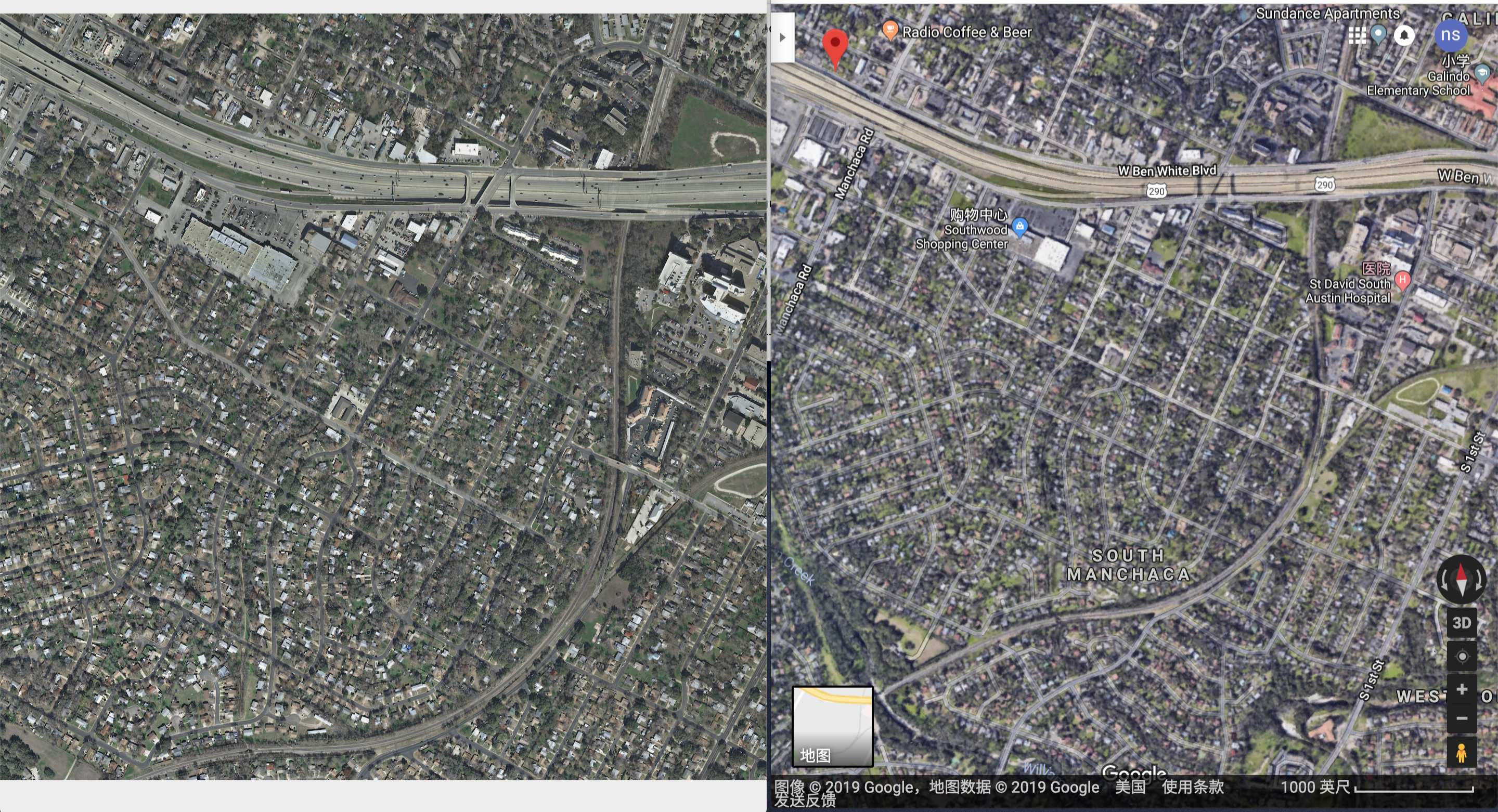
可以看到左上角的谷歌地上的地标还是比较一致的。